
Blog
Field notes, walkthroughs, and conference recaps
-
Upgrading my blog to Docusaurus 3.0
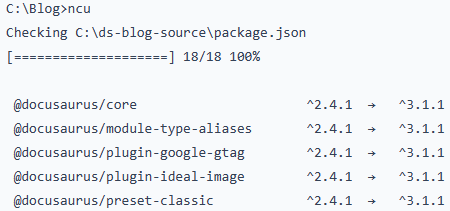
Upgrading my blog to Docusaurus 3.0 was mostly a foundation change, but it surfaced real gotchas. The MDX v3 checker failed on two posts because unescaped “{” characters in connection…
-
Missing rows in the Accounting Period table in SuiteAnalytics Connect

While moving ETL from NetSuite.com to NetSuite2.com via SuiteAnalytics Connect, I hit a weird issue: the accountingPeriod table looked like it was missing recent and future periods. After checking row…
-
Syntax Highlighting in Docusaurus

Docusaurus uses Prism for syntax highlighting, and that’s a big win when you write about niche languages like DAX and Power Query (M). In this post I walk through adding…
-
Using Environment Variables in Docusaurus

Environment variables let you keep configuration values outside your source files, so settings can differ between test and production without touching code. During the build, each reference is replaced with…
-
Adding Comments to Docusaurus
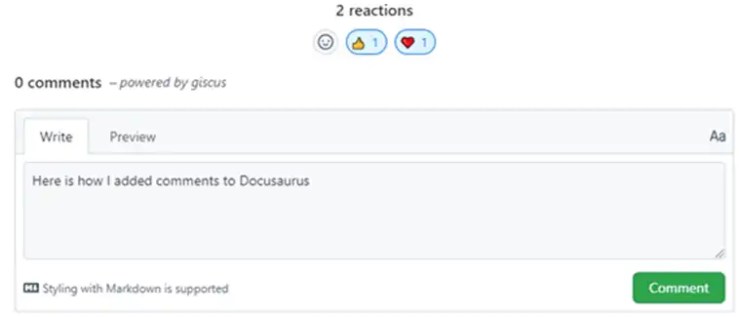
Docusaurus can’t read Node environment variables directly in components, so I use dotenv to load a .env file into process.env, then pass values through customFields in docusaurus.config.js. I show installing…
-
Adding Icons to Docusaurus

Your docs site looks solid… until you notice every tab shows the same generic icon. In this post, I walk through giving Docusaurus a real identity by adding a favicon…
-
Connecting DBeaver to Netsuite SuiteAnalytics Connect using JDBC

Ever connect DBeaver to NetSuite and wonder why half your text columns are mysteriously NULL? It’s not your permissions—it’s the SuiteAnalytics Connect ODBC driver. This post shows a simple workaround:…
-
GOAL(s)!!!! and the need for a mentor

Why wait for January 1 to set goals? Fresh off PASS Summit inspiration, I started mapping out 2023—more blogging, more speaking, and a sharper focus on the skills that matter.…
-
How the Static Data Model can help with Netsuite SuiteAnalytics Connect

NetSuite2.com’s role-based permissions can make SuiteAnalytics Connect feel like you’re working blind—tables vanish, ER diagrams hide relationships, and you’re left guessing what access you need. This post shows a lifesaver:…
-
What I Have Been Working On

Ever feel like your job title changes hourly? In this snapshot post, I lay out the many hats I wear in a small IT shop: gathering requirements, building SSIS pipelines,…
-
Using Hugo and GitHub Pages for my blog

I ditched a half-finished WordPress test site and rebuilt my blog the hard way: Hugo + GitHub Pages. The move saved hosting costs and forced me to learn git, themes,…
You must be logged in to post a comment.